

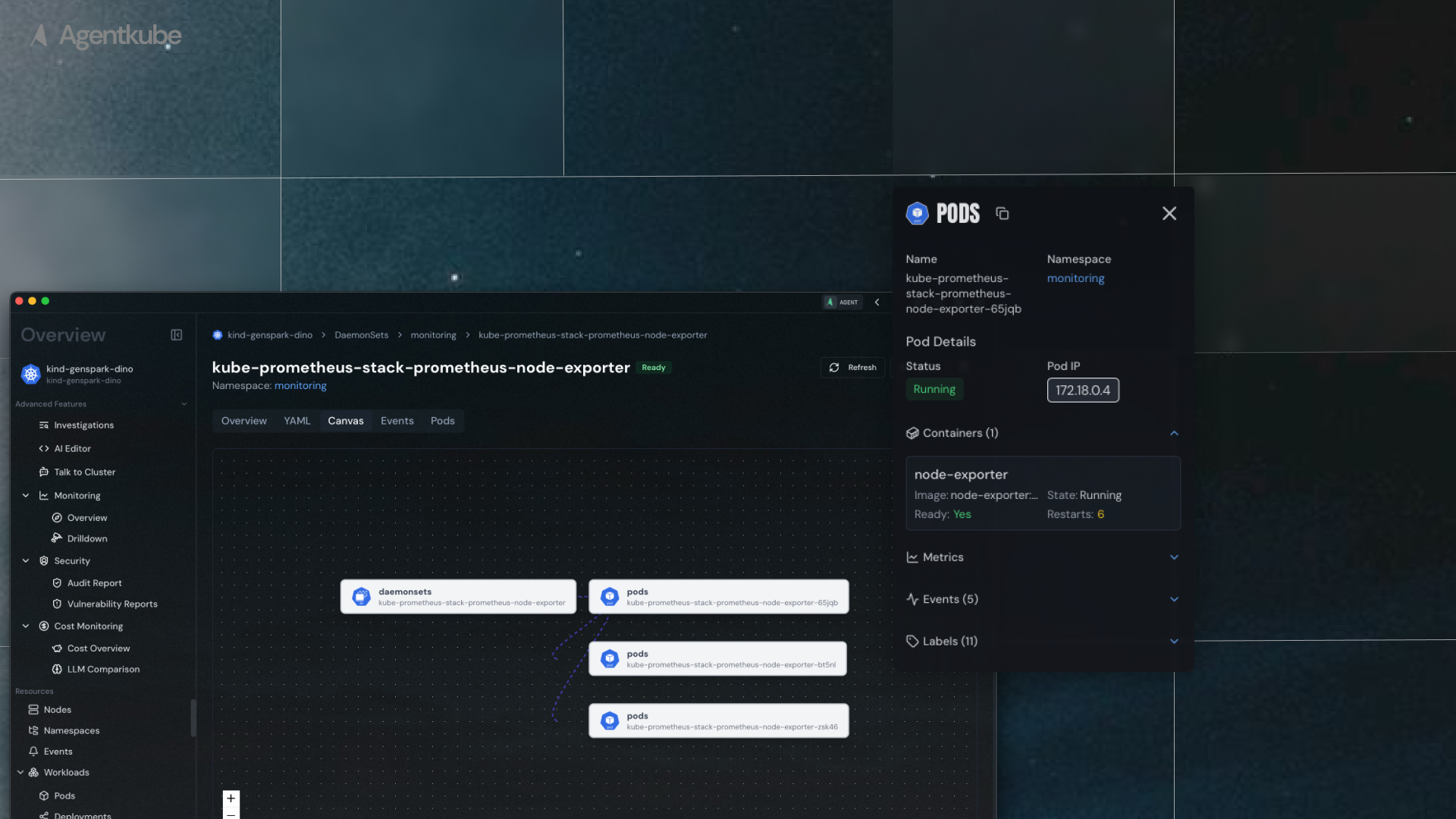
Resource Canvas showing interactive resource mapping
Access Resource Canvas
To view the resource canvas:- Navigate to Workloads, within your cluster
- Select any workload resource (
Deployment,ReplicaSet, etc.) - Go into a specific resource (e.g.,
nginx-deployment) - Navigate to the Canvas tab
How it Works
The resource canvas displays relevant upstream and downstream resources related to the current resource:- Deployment view: Shows the ReplicaSet under the Deployment and the Pods under the ReplicaSet
- Interactive navigation: Clicking on any node in the resource map navigates directly to that resource’s insights page
- Relationship mapping: Visualizes how resources connect and depend on each other