> ## Documentation Index
> Fetch the complete documentation index at: https://docs.agentkube.com/llms.txt
> Use this file to discover all available pages before exploring further.
# Analytics
Agentkube collects analytics data to help improve the application and user experience.
## Data Collection
We collect the following analytics data:
* **Feature Usage**: Track which features and tools are being used
* **Application Events**: Monitor application startup and shutdown events
* **Crash Reports**: Collect crash data to identify and fix issues
* **Performance Metrics**: Basic performance and usage statistics
## Settings
### Through GUI
To configure analytics collection:
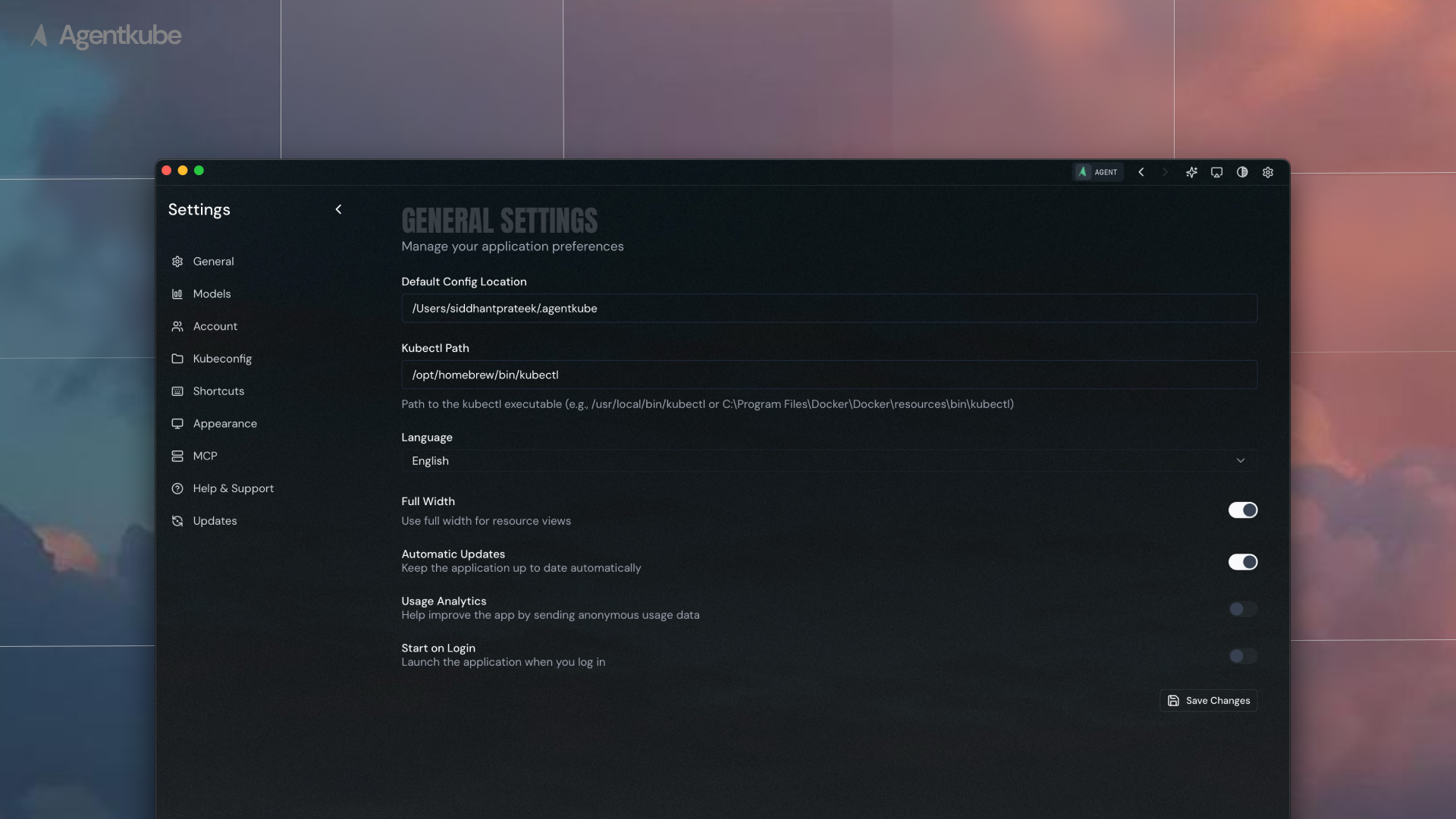 1. Navigate to **Settings** > **General**
2. Locate the analytics toggle option
3. Enable or disable analytics collection based on your preference
### Through Configuration File
You can also manually edit the configuration file at `~/.agentkube/settings.json`:
```json theme={"system"}
{
"general": {
"usageAnalytics": true
}
}
```
Set `usageAnalytics` to `true` to enable analytics collection or `false` to disable it.
1. Navigate to **Settings** > **General**
2. Locate the analytics toggle option
3. Enable or disable analytics collection based on your preference
### Through Configuration File
You can also manually edit the configuration file at `~/.agentkube/settings.json`:
```json theme={"system"}
{
"general": {
"usageAnalytics": true
}
}
```
Set `usageAnalytics` to `true` to enable analytics collection or `false` to disable it.