> ## Documentation Index
> Fetch the complete documentation index at: https://docs.agentkube.com/llms.txt
> Use this file to discover all available pages before exploring further.
# ArgoCD
ArgoCD is a declarative GitOps continuous delivery tool for Kubernetes. It monitors your Git repositories and automatically synchronizes the desired application state with your cluster. Agentkube IDE provides native integration with ArgoCD, allowing you to view and manage your GitOps deployments directly from the IDE.
## How to Access
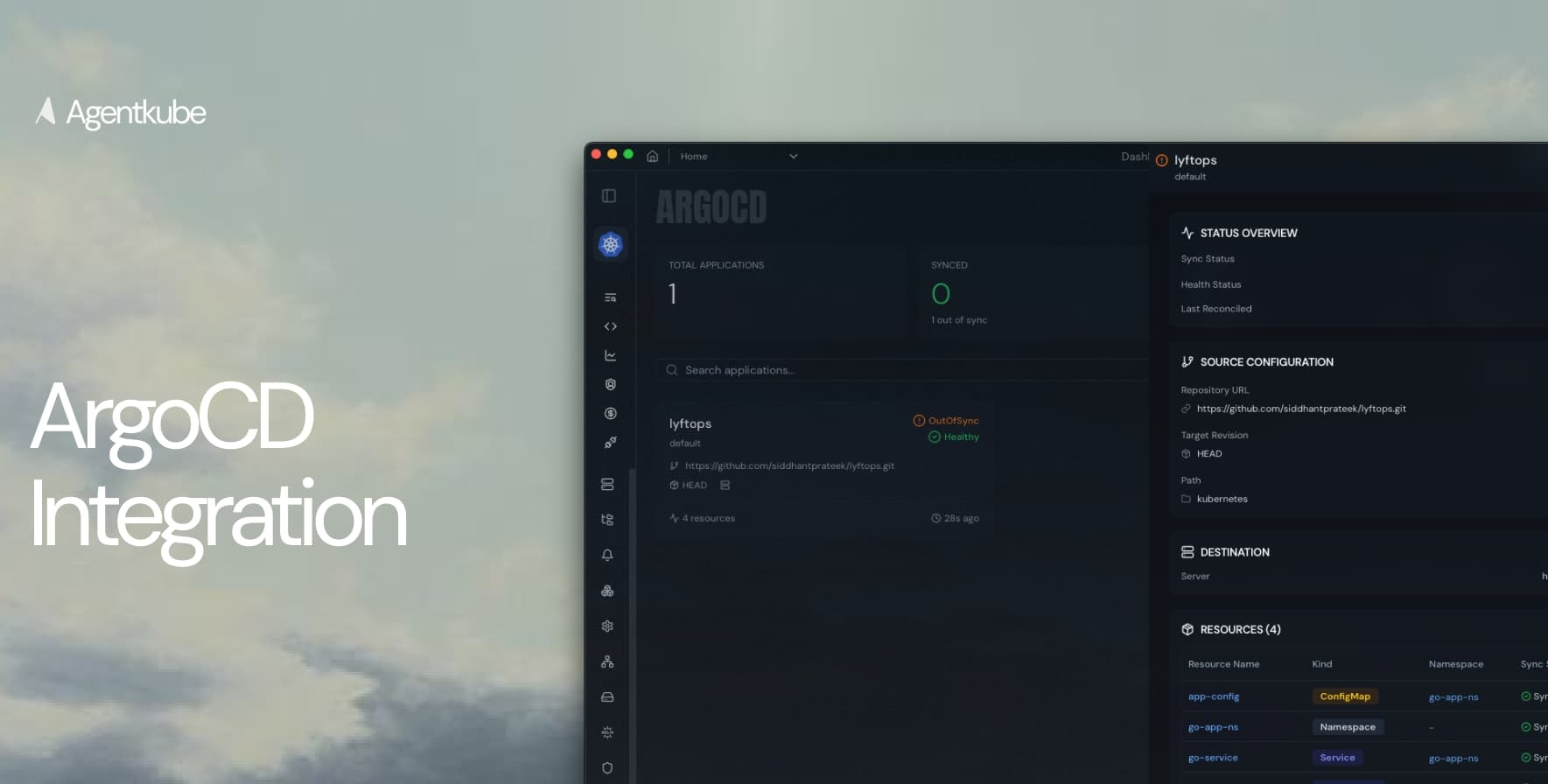 If ArgoCD is present in your cluster, Agentkube automatically detects it:
1. Navigate to the **Integrations** section in Agentkube IDE
2. Select **ArgoCD** from the available integrations
3. View your applications, sync status, and deployed resources
## Features
### Application Overview
View all your ArgoCD applications with key information:
* **Total Applications**: Number of applications managed by ArgoCD
* **Sync Status**: Current synchronization state (Synced/OutOfSync)
* **Health Status**: Application health (Healthy/Degraded/Progressing)
* **Last Reconciled**: Timestamp of last sync operation
### Application Details
For each application, you can view:
* **Repository URL**: Git repository source
* **Target Revision**: Branch, tag, or commit (e.g., HEAD)
* **Path**: Directory path within the repository (e.g., kubernetes)
* **Destination**: Target cluster and namespace
* **Resources**: All Kubernetes resources deployed by the application
### Resource Management
The integration displays all resources managed by each application:
* Resource Name
* Kind (ConfigMap, Namespace, Service, etc.)
* Namespace
* Sync Status
## ArgoCD Access
To perform operations like syncing applications, you need to provide ArgoCD access credentials:
1. Go to ArgoCD settings in the Integrations section
2. Configure ArgoCD server URL
3. Provide authentication credentials (token or username/password)
4. Save the configuration
Once configured, you can perform sync operations and manage applications directly from Agentkube IDE.
## Status Indicators
* **Synced**: Application state matches the desired state in Git
* **OutOfSync**: Cluster state differs from Git repository
* **Healthy**: All resources are running correctly
* **Degraded**: Some resources have issues
* **Progressing**: Sync operation is in progress
If ArgoCD is present in your cluster, Agentkube automatically detects it:
1. Navigate to the **Integrations** section in Agentkube IDE
2. Select **ArgoCD** from the available integrations
3. View your applications, sync status, and deployed resources
## Features
### Application Overview
View all your ArgoCD applications with key information:
* **Total Applications**: Number of applications managed by ArgoCD
* **Sync Status**: Current synchronization state (Synced/OutOfSync)
* **Health Status**: Application health (Healthy/Degraded/Progressing)
* **Last Reconciled**: Timestamp of last sync operation
### Application Details
For each application, you can view:
* **Repository URL**: Git repository source
* **Target Revision**: Branch, tag, or commit (e.g., HEAD)
* **Path**: Directory path within the repository (e.g., kubernetes)
* **Destination**: Target cluster and namespace
* **Resources**: All Kubernetes resources deployed by the application
### Resource Management
The integration displays all resources managed by each application:
* Resource Name
* Kind (ConfigMap, Namespace, Service, etc.)
* Namespace
* Sync Status
## ArgoCD Access
To perform operations like syncing applications, you need to provide ArgoCD access credentials:
1. Go to ArgoCD settings in the Integrations section
2. Configure ArgoCD server URL
3. Provide authentication credentials (token or username/password)
4. Save the configuration
Once configured, you can perform sync operations and manage applications directly from Agentkube IDE.
## Status Indicators
* **Synced**: Application state matches the desired state in Git
* **OutOfSync**: Cluster state differs from Git repository
* **Healthy**: All resources are running correctly
* **Degraded**: Some resources have issues
* **Progressing**: Sync operation is in progress