> ## Documentation Index
> Fetch the complete documentation index at: https://docs.agentkube.com/llms.txt
> Use this file to discover all available pages before exploring further.
# Resource Canvas
Interactive map view of how Kubernetes resources connect with each other. Visualizes dependencies, traffic flows, and bottlenecks to help engineers quickly understand cluster structure and debug issues.
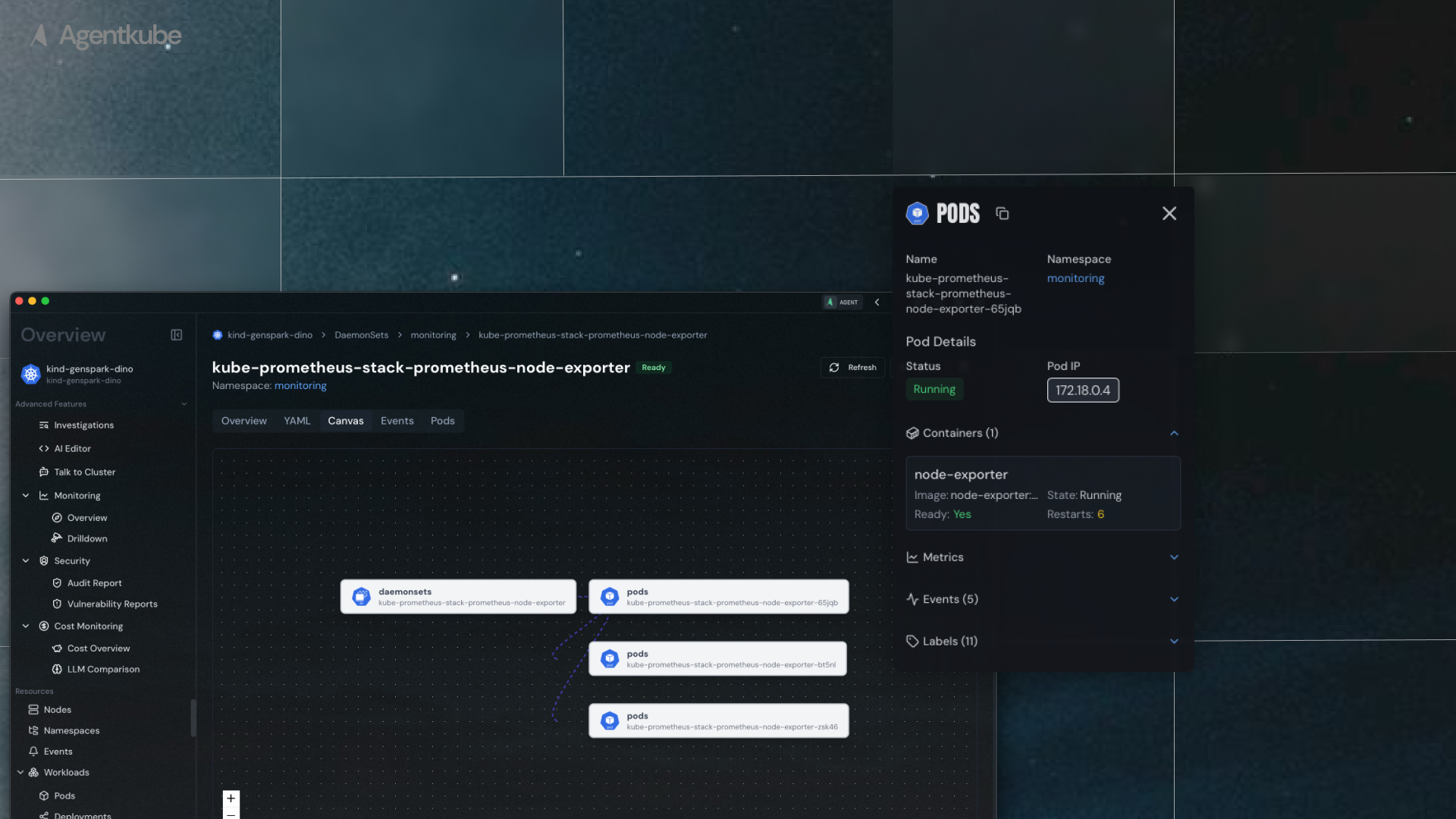 ## Access Resource Canvas
To view the resource canvas:
1. Navigate to **Workloads**, within your cluster
2. Select any workload resource (`Deployment`, `ReplicaSet`, etc.)
3. Go into a specific resource (e.g., `nginx-deployment`)
4. Navigate to the **Canvas** tab
## How it Works
The resource canvas displays relevant upstream and downstream resources related to the current resource:
* **Deployment view**: Shows the ReplicaSet under the Deployment and the Pods under the ReplicaSet
* **Interactive navigation**: Clicking on any node in the resource map navigates directly to that resource's insights page
* **Relationship mapping**: Visualizes how resources connect and depend on each other
## Access Resource Canvas
To view the resource canvas:
1. Navigate to **Workloads**, within your cluster
2. Select any workload resource (`Deployment`, `ReplicaSet`, etc.)
3. Go into a specific resource (e.g., `nginx-deployment`)
4. Navigate to the **Canvas** tab
## How it Works
The resource canvas displays relevant upstream and downstream resources related to the current resource:
* **Deployment view**: Shows the ReplicaSet under the Deployment and the Pods under the ReplicaSet
* **Interactive navigation**: Clicking on any node in the resource map navigates directly to that resource's insights page
* **Relationship mapping**: Visualizes how resources connect and depend on each other