> ## Documentation Index
> Fetch the complete documentation index at: https://docs.agentkube.com/llms.txt
> Use this file to discover all available pages before exploring further.
# Investigation
Investigation Tasks allow agents to automatically investigate issues in the background, just like an engineer. They focus on discovering the root cause of failures by analyzing resource states, cluster activity, dependencies, and alerts.
Agents analyze resource states, cluster activity, and dependencies to identify the underlying cause of issues. The feature connects with observability tools including Prometheus, Alertmanager, Datadog, New Relic, GitHub, Docker, Trivy, and many more to enrich investigations with broader context. It surfaces clear, actionable insights that point engineers to the likely cause and next steps, not just raw signals. All tasks run in the background as read-only operations, providing you with a comprehensive task report in seconds.
## How to Use
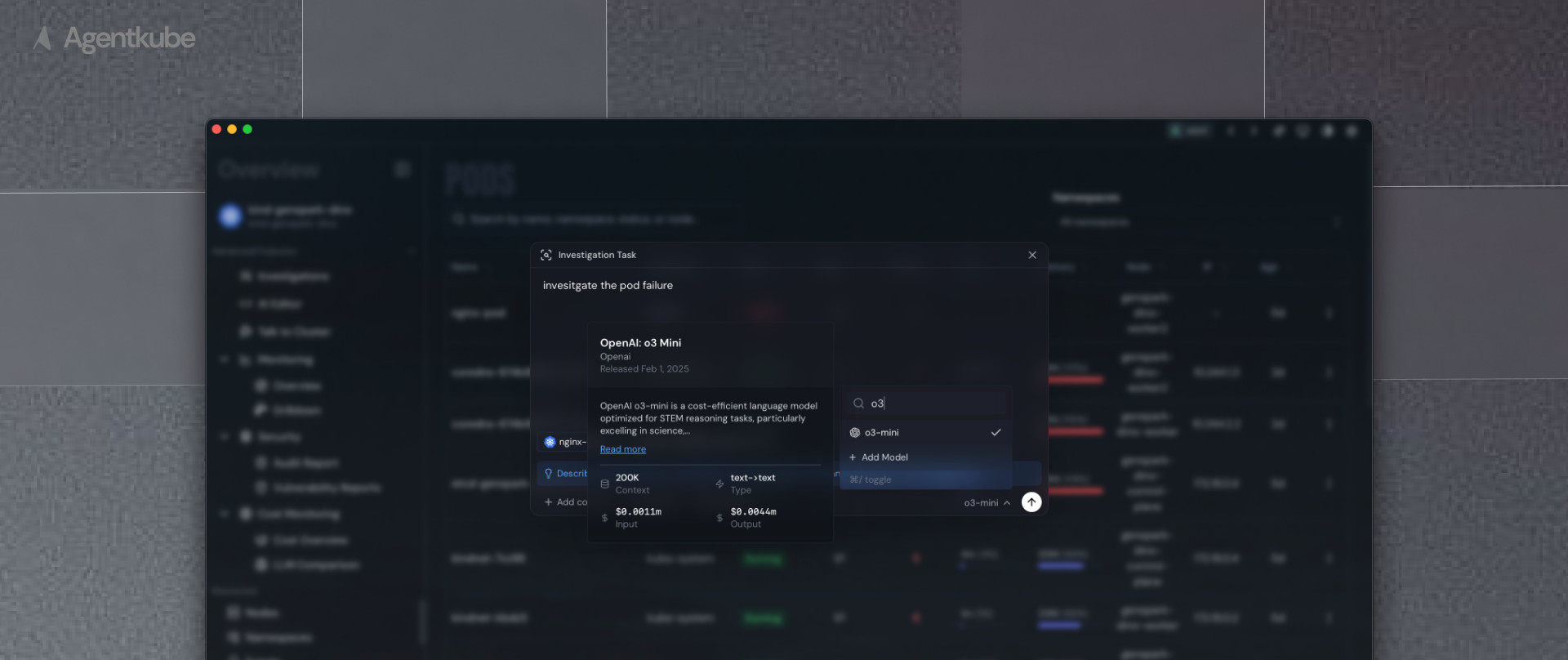 To start an investigation:
1. Use the keyboard shortcut (`Command + E` on macOS, `Ctrl + E` on Windows)
2. This opens the Investigation Task Dialog
3. Pick the resource from resource context
4. Select logs from the particular container
5. Choose your preferred model
6. Ask the agent to investigate
7. The investigation runs in the background, performing read-only analysis
8. Receive a detailed task report within seconds
## Investigation Process
To start an investigation:
1. Use the keyboard shortcut (`Command + E` on macOS, `Ctrl + E` on Windows)
2. This opens the Investigation Task Dialog
3. Pick the resource from resource context
4. Select logs from the particular container
5. Choose your preferred model
6. Ask the agent to investigate
7. The investigation runs in the background, performing read-only analysis
8. Receive a detailed task report within seconds
## Investigation Process
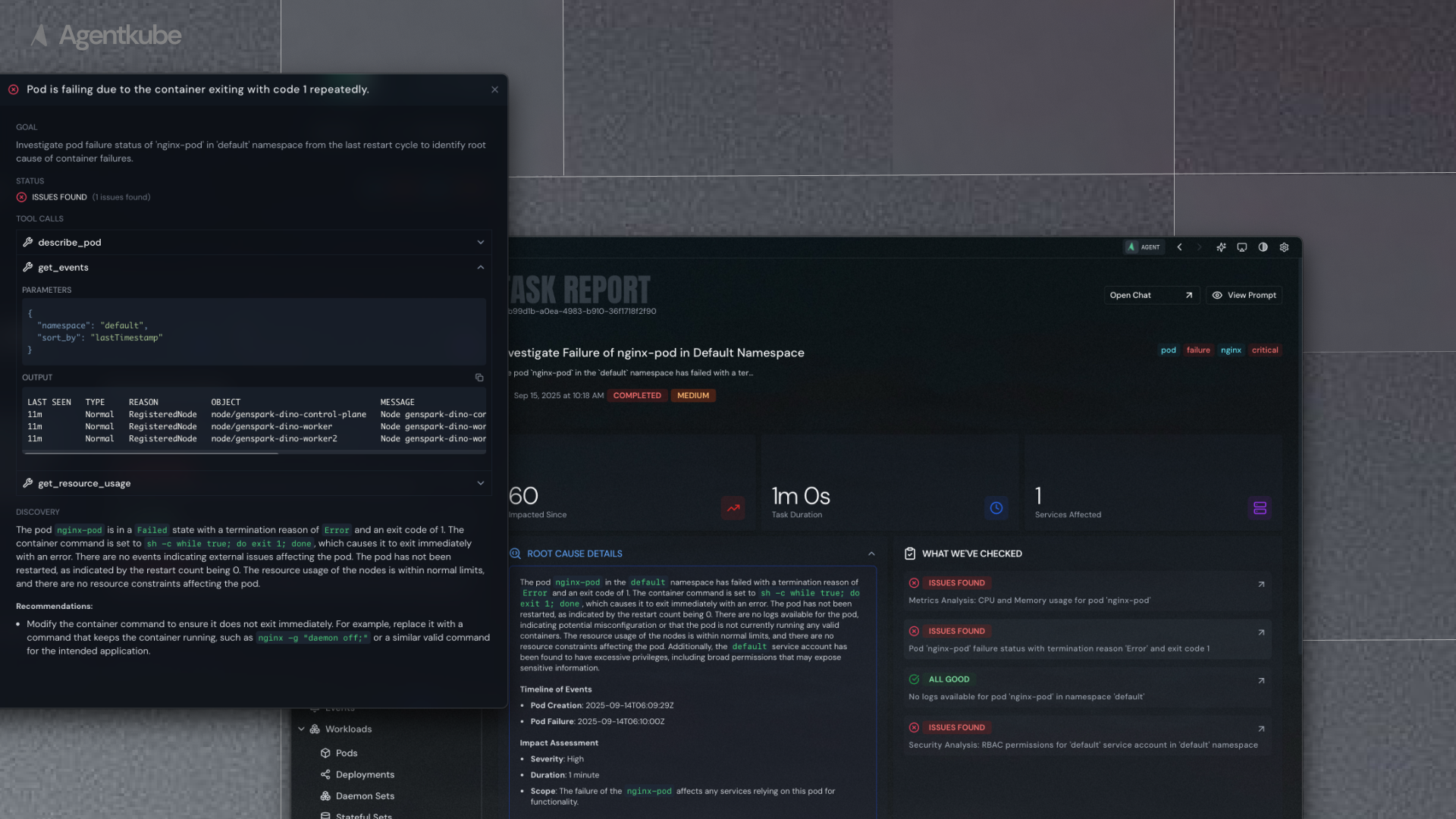 The agent performs the following steps automatically:
1. **Resource Analysis**: Examines the selected Kubernetes resource configuration and current state
2. **Log Analysis**: Reviews container logs for errors, warnings, and patterns
3. **Dependency Mapping**: Identifies related resources and potential impact chains
4. **External Data**: Queries configured monitoring and observability tools for additional context
5. **Root Cause Identification**: Correlates findings to determine the most likely cause
6. **Remediation Suggestions**: Provides specific next steps to resolve the issue
The agent performs the following steps automatically:
1. **Resource Analysis**: Examines the selected Kubernetes resource configuration and current state
2. **Log Analysis**: Reviews container logs for errors, warnings, and patterns
3. **Dependency Mapping**: Identifies related resources and potential impact chains
4. **External Data**: Queries configured monitoring and observability tools for additional context
5. **Root Cause Identification**: Correlates findings to determine the most likely cause
6. **Remediation Suggestions**: Provides specific next steps to resolve the issue