> ## Documentation Index
> Fetch the complete documentation index at: https://docs.agentkube.com/llms.txt
> Use this file to discover all available pages before exploring further.
# Editor
Agentkube Editor is a text editor for working with Kubernetes manifest files.
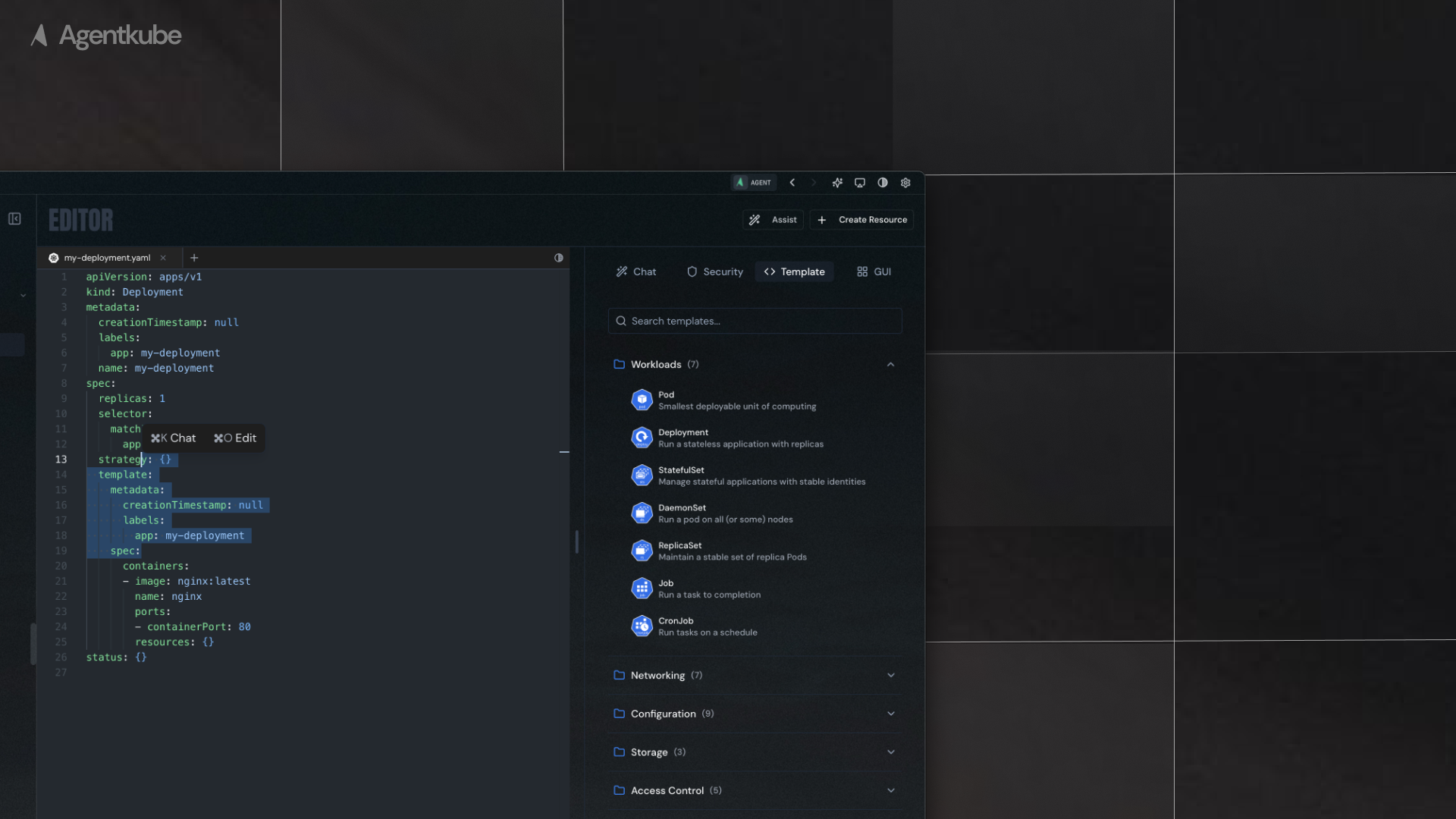 ## Add to Chat Functionality
Agentkube supports `Add to Chat` functionality rather than full inline editing capabilities. This allows you to:
* Select specific lines in Kubernetes resources in the editor
* Click `Add to Chat` or use the keyboard shortcut (`Command + K` on macOS, `Ctrl + K` on Windows) to send the selected resource context to the side chat
* The selected resource configuration, metadata, and relevant context will be automatically added to your chat conversation
* Ask the AI assistant questions about specific manifests, configurations, or troubleshooting
## Security Tab
Under the **Security** tab, you can scan your manifest files to check for any vulnerabilities:
* **Trivy Integration**: Uses Trivy to scan your Kubernetes manifests
* **Vulnerability Detection**: Identifies security issues in container images, configurations, and resource definitions
* **Detailed Reports**: View vulnerability details, severity levels, and recommended fixes
## Diff Tab
The **Diff** tab allows you to review changes made to your manifest files:
* **Change Tracking**: View all modifications made to your Kubernetes manifests
* **Side-by-side Comparison**: Compare original and modified versions of your files
* **Highlight Changes**: Added, removed, and modified lines are clearly highlighted
* **Review Before Apply**: Review all changes before applying them to your cluster
## Add to Chat Functionality
Agentkube supports `Add to Chat` functionality rather than full inline editing capabilities. This allows you to:
* Select specific lines in Kubernetes resources in the editor
* Click `Add to Chat` or use the keyboard shortcut (`Command + K` on macOS, `Ctrl + K` on Windows) to send the selected resource context to the side chat
* The selected resource configuration, metadata, and relevant context will be automatically added to your chat conversation
* Ask the AI assistant questions about specific manifests, configurations, or troubleshooting
## Security Tab
Under the **Security** tab, you can scan your manifest files to check for any vulnerabilities:
* **Trivy Integration**: Uses Trivy to scan your Kubernetes manifests
* **Vulnerability Detection**: Identifies security issues in container images, configurations, and resource definitions
* **Detailed Reports**: View vulnerability details, severity levels, and recommended fixes
## Diff Tab
The **Diff** tab allows you to review changes made to your manifest files:
* **Change Tracking**: View all modifications made to your Kubernetes manifests
* **Side-by-side Comparison**: Compare original and modified versions of your files
* **Highlight Changes**: Added, removed, and modified lines are clearly highlighted
* **Review Before Apply**: Review all changes before applying them to your cluster